Whenever you’re asked to log in to an online service, verify your identity, or download a document through a link, you’re usually required to enter your username and password. This is so common that most of us do it automatically without thinking twice. However, scammers can trick you into giving them passwords for your email, government service websites, banking services, or social networks by mimicking the service’s login form on their own (third-party) website. Don’t fall for it: only the email service itself can ask to verify your email password — no one else! The same applies to government services, banks, and social networks.
To avoid becoming a victim of fraud, every time you enter a password, take a moment to check where exactly you’re logging in, and what window is asking for your credentials. Three main scenarios are possible here — two are safe, one is fraudulent. Here they are.
Safe scenarios for entering passwords
- Logging into your email, social network, or online service through the official website. This is the simplest scenario, but you need to make sure you are indeed on the legitimate site — with no errors in the URL. If you’re accessing the online service by clicking a link in an email or from search results, carefully check the browser’s address bar before entering your password. Make sure that both the service name and the site address are correct and match each other.
Why is it so important to take an extra second to check? Creating phishing copies of legitimate sites is a favorite trick of scammers. A phishing site’s address may be almost identical to the original, differing in just a letter or two (for example, the “i” letter might be replaced with an “I”), or use a different domain zone.
It’s also rather simple to create a link that appears to lead to a site but actually takes you somewhere else. Check it out for yourself: this link seems to lead to our blog kaspersky.com/blog but actually redirects you to our other blog — securelist.com.
The image below shows examples of legitimate login pages for various services where you can safely enter your username and password.
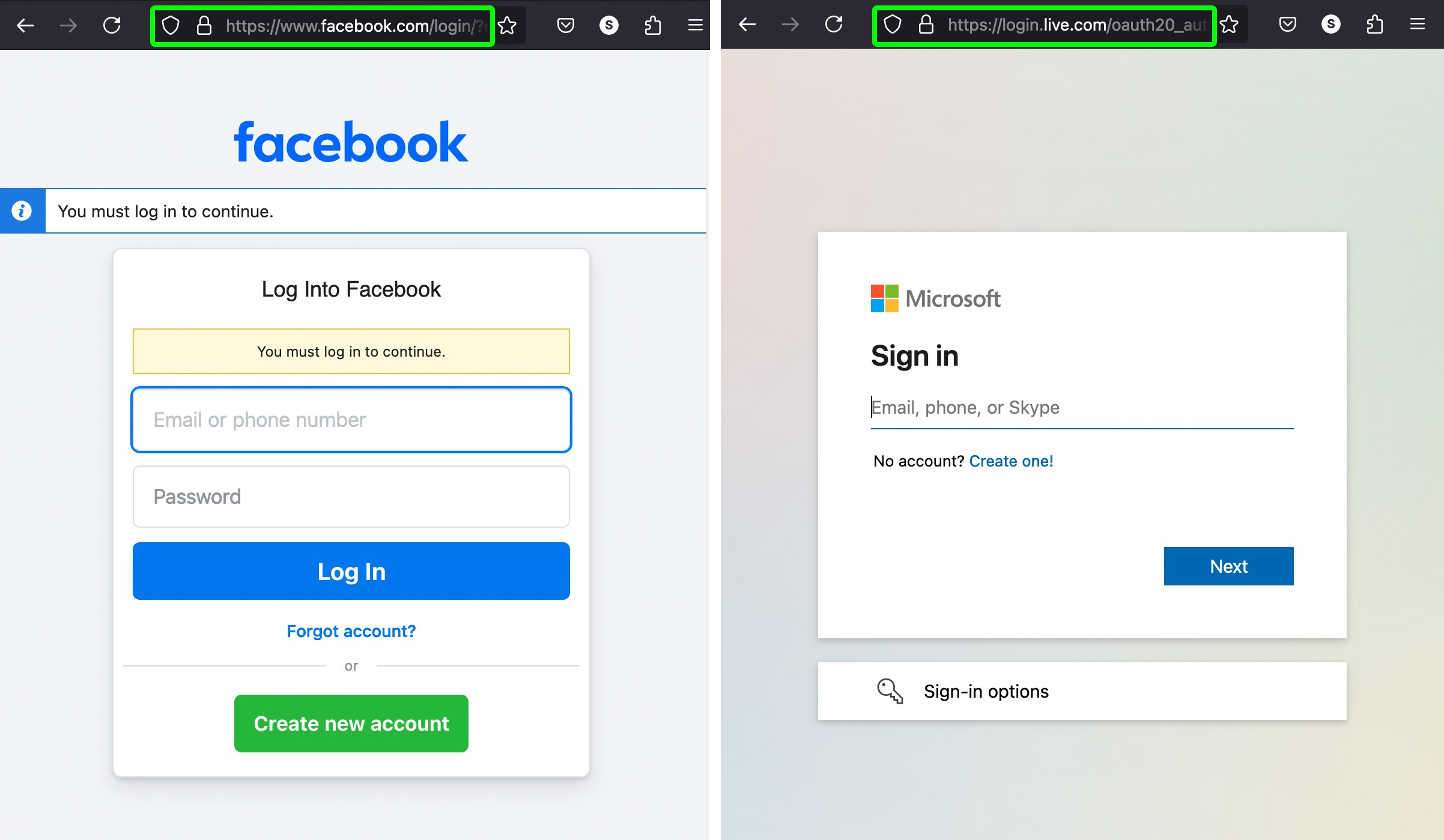
Examples of legitimate login pages for various services. Entering your credentials here is safe
- Logging in to a site using an auxiliary service. This is a convenient way to log in without creating additional passwords, commonly used for file storage services, collaboration tools, and so on. Auxiliary services are typically large email providers, social networks, or government service sites. The login button may say something like “Continue with Google”, “Continue with Facebook”, “Continue with Apple”, etc.
When you click the button, another window opens belonging to the auxiliary service (Google, Facebook, Apple, etc.). It works like this: the external service verifies your identity and confirms this to the site you’re logging in to. It’s crucial to check the addresses in both windows: make sure that the pop-up window asking for your password really belongs to the auxiliary service you expected (Google, Facebook, Apple, etc.), and the main window really belongs to the legitimate site you’re trying to log in to. In many cases, the pop-up window also indicates which site you’ll be logging in to. This auxiliary service mechanism allows you to enter the desired site without it ever seeing your password. Password verification takes place on the side of the auxiliary service (Google, Facebook, Apple, etc.). IT specialists call this login method single sign-on (SSO).
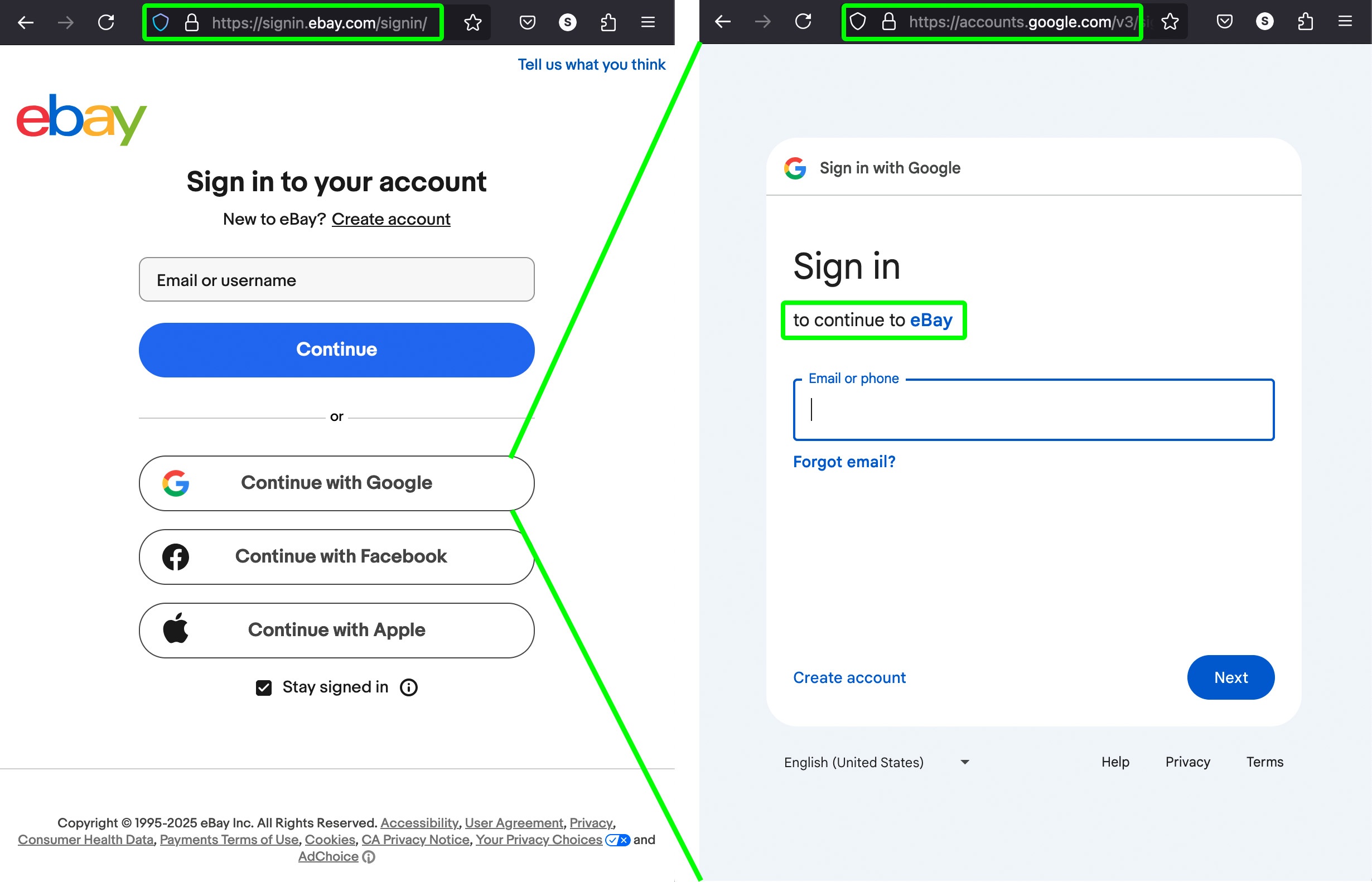
Example of SSO login to eBay through an auxiliary service (Google) that verifies your password. Entering your credentials here is also safe
Fraudulent scenario: password theft
You receive an email or message with a login link, click it, and end up on a site that very closely resembles a legitimate email, social network, file-sharing, or e-signature service. The site asks you to log in to your account to prove your identity. To this end, you’re prompted to enter your email and password for your email, government services site, banking service, or social network directly on this site.
In this scenario, either there’s no pop-up window from a legitimate service (such as the one in the previous case), or the additional window also belongs to some third-party site. This is a scam designed to steal your
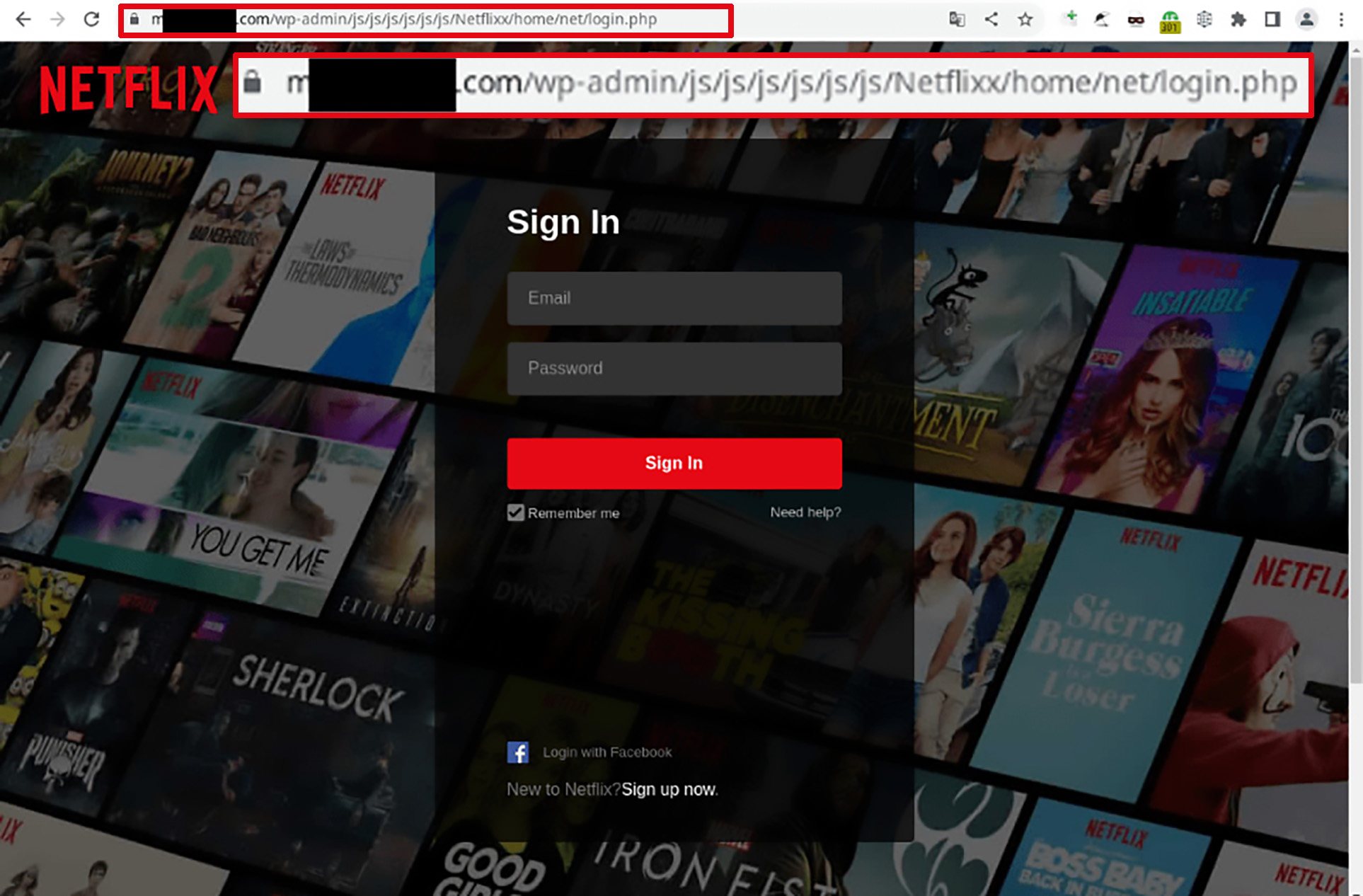
Look at the address bar: this is definitely not Netflix! Don’t enter your credentials here!
account password! Remember, a third-party site can’t verify your password — it simply doesn’t know it, and passwords are never shared between sites.
How to protect yourself from password theft
- Carefully check the address of the site requesting your password.
- Only enter a password for a service on the official website of that service — nowhere else.
- Sometimes a separate window appears for entering a password. Make sure this window is a regular browser window where you can see the address bar and verify the address.
- Scammers can create lookalike sites with addresses that are hard to distinguish from real ones. To avoid falling into such a trap, use reliable anti-phishing protection on all devices and platforms. We recommend Kaspersky Premium, the winner of an anti-phishing test in 2024.
- An advanced protection method is to use a password manager for all your accounts. It verifies the actual page address, and will never enter your credentials on an unfamiliar site — no matter how convincing it looks.
Kaspersky official blog –
