A security researcher known as mr.d0x has published a post detailing a new technique that can be used for phishing and potentially other malicious activities. The technique exploits so-called progressive web apps (PWAs). In this post, we discuss what these applications are, why they can be dangerous, how attackers can use them for their own purposes, and how to [placeholder Kaspersky Premium]protect yourself[/placeholder] against this threat.
What are progressive web apps?
PWAs are applications developed using web technologies. Essentially, they’re websites that look and function just like native applications installed on your operating system.
The general idea is similar to applications built on the Electron framework, with one key difference. Electron apps are like a “sandwich” of a website (the filling) and a browser (the bread) dedicated to running that site; that is, each Electron application has a built-in browser. In contrast, PWAs utilize the engine of the browser already installed on the user’s system to display the same website – like a sandwich without the bread.
All modern browsers support PWAs, with Google Chrome and Chromium-based browsers (including the Microsoft Edge browser that comes with Windows) offering the most comprehensive implementation.
Installing a PWA (if the respective website supports it) is very simple. Just click an inconspicuous button in the browser’s address bar and confirm the installation. Here’s how it’s done, using the Google Drive PWA as an example:
Installing PWAs only takes two clicks
After that, the PWA appears on your system almost instantly, looking just like a real application — with an icon, its own window, and all the other attributes of a fully-fledged program. It’s not easy to tell from the PWA window that it’s actually a browser displaying a website.
The Google Drive PWA looks just like a real native application
PWA-based phishing
One crucial difference between a PWA and the same website opened in a browser is evident in the screenshot above: the PWA window lacks an address bar. This very feature forms the foundation of the phishing method discussed in this post.
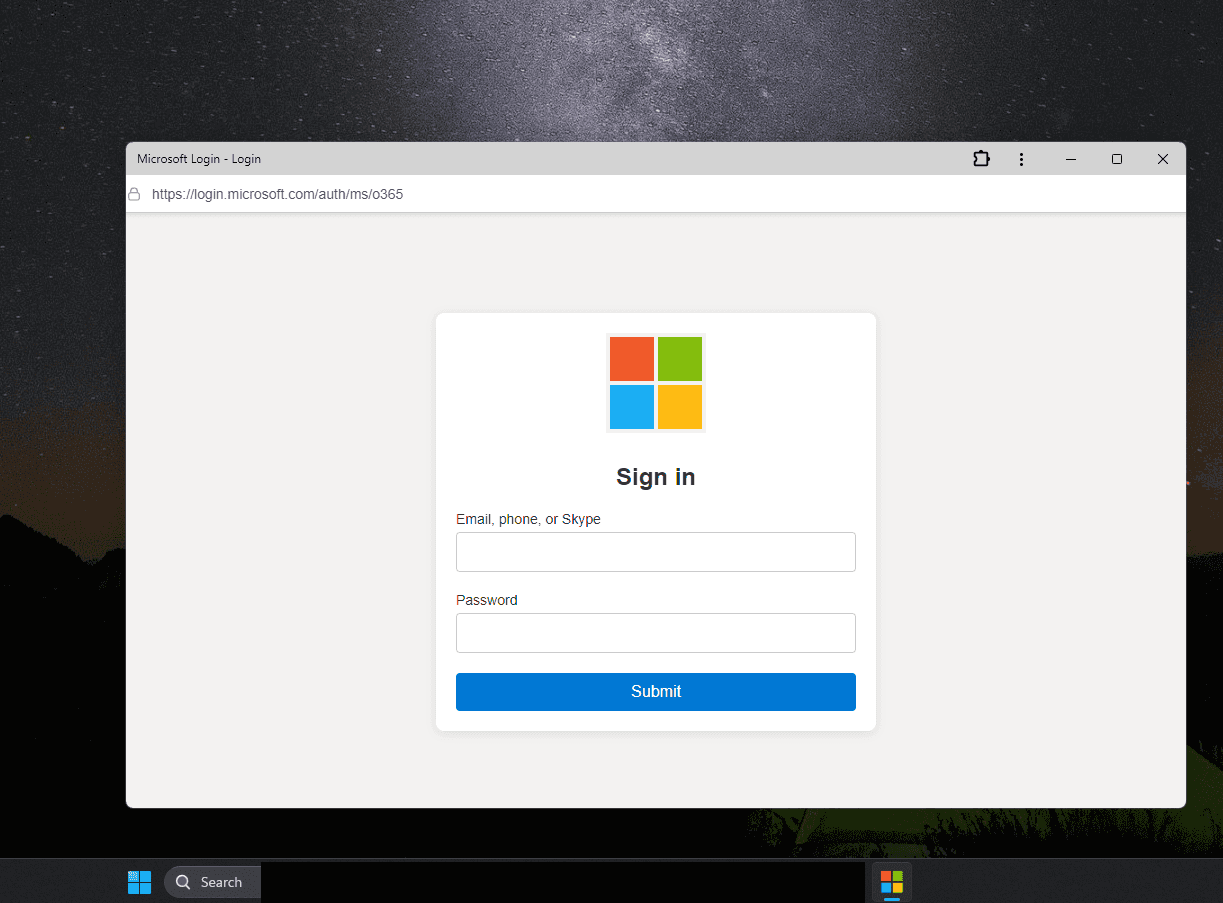
With no address bar in the window, attackers can simply draw their own — displaying an URL that serves their phishing goals. For example, this one:
With a PWA, you can convincingly mimic any site — for example, the Microsoft account login page. Source
Attackers can further enhance the deception by giving the PWA a familiar icon.
The only remaining hurdle is convincing the victim to install the PWA. However, this can be easily achieved with persuasive language and cleverly designed interface elements.
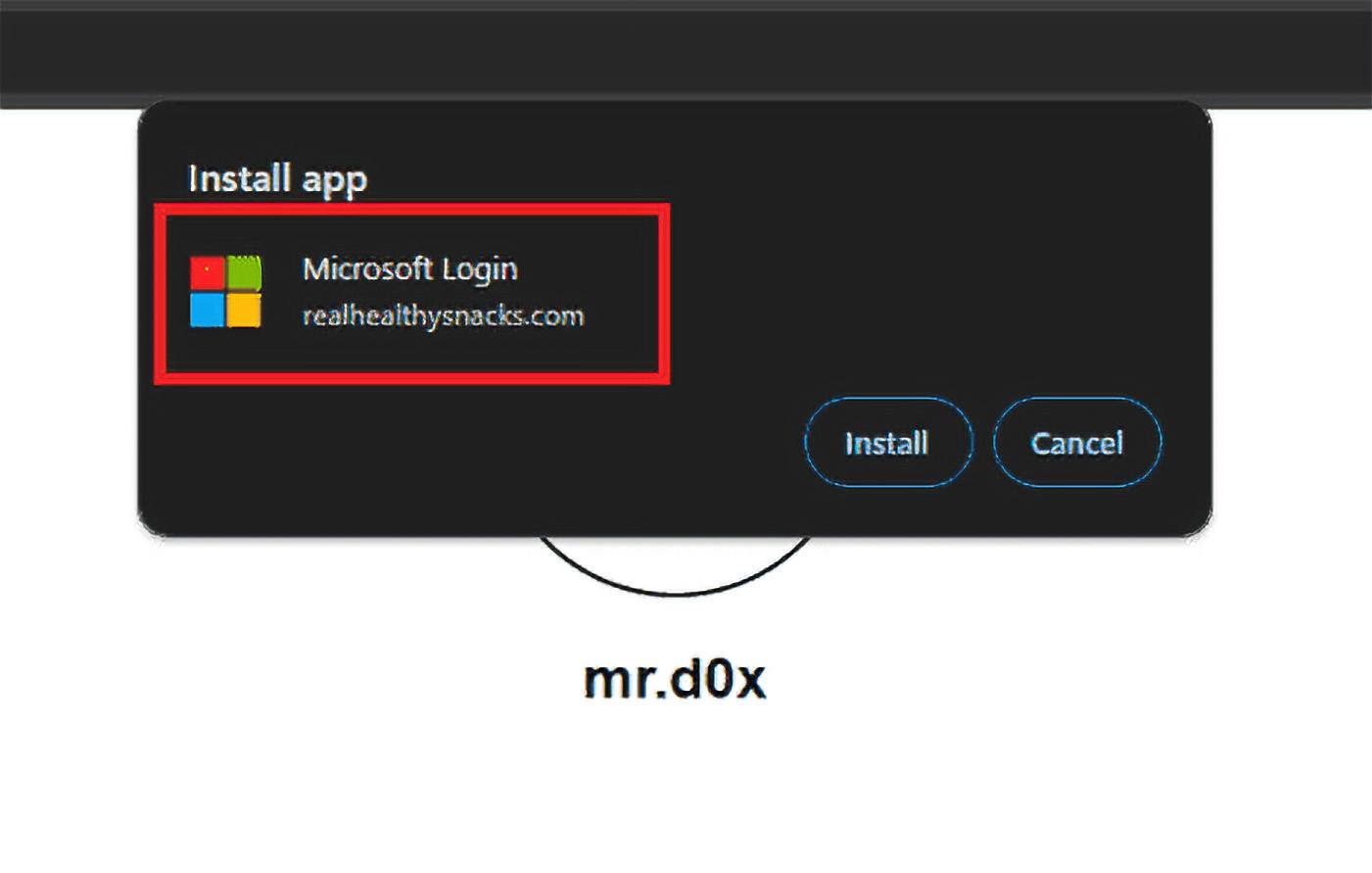
It’s important to note that during the PWA installation dialog, the displayed app name can be anything the attacker desires. The true origin is only revealed by the website address in the second line, which is less noticeable:
The malicious PWA installation dialog displays a name that aids the attacker’s goals. Source
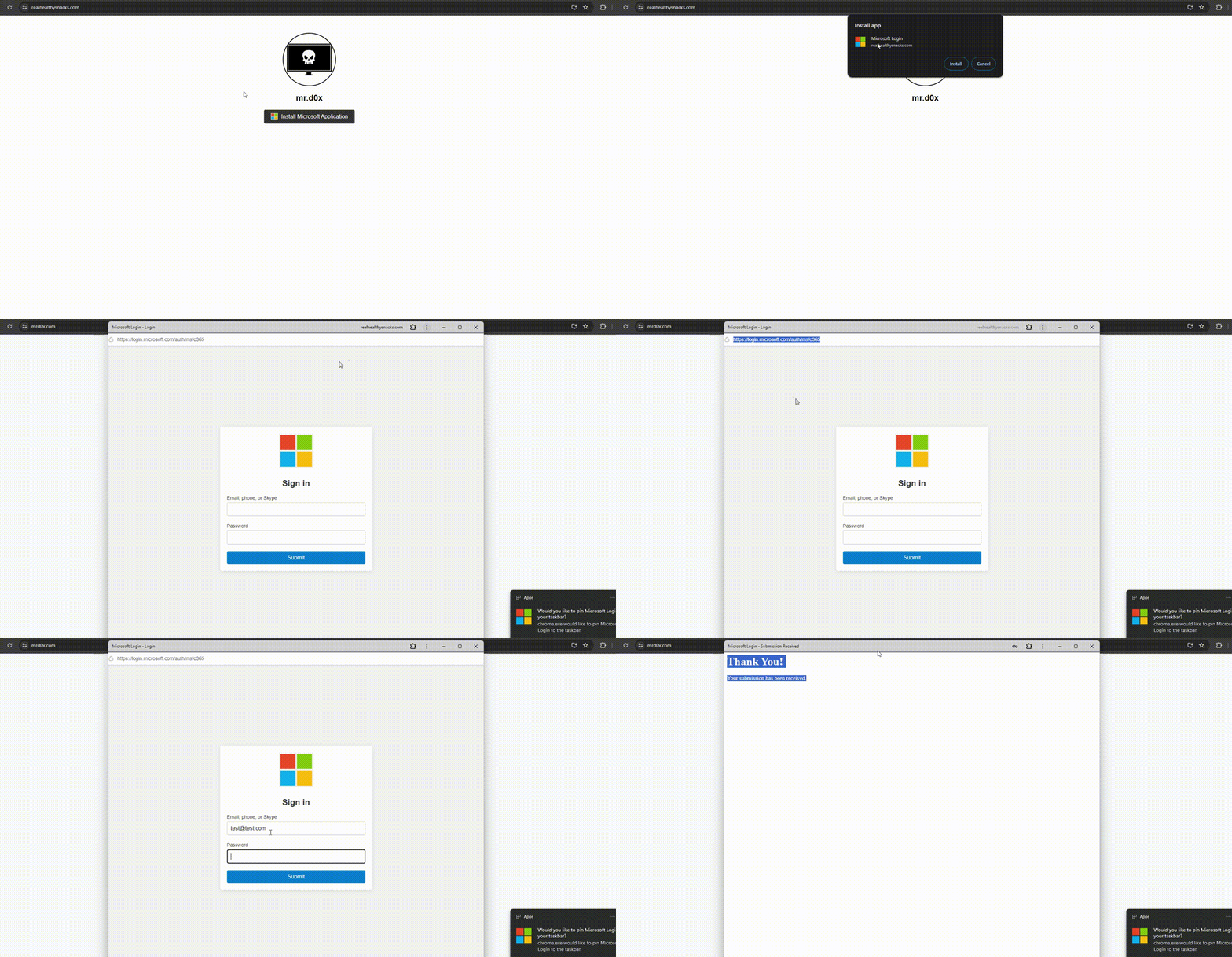
The process of stealing a password using a PWA generally unfolds as follows:
The victim opens a malicious website.
The website convinces the victim to install the PWA.
Installation occurs almost instantly, and the PWA window opens.
A phishing page with a fake address bar displaying a legitimate-looking URL opens in the PWA window.
The victim enters their login credentials into the form — handing them directly to the attackers.
What phishing using a malicious PWA looks like. Source
Of course, convincing the victim to install a native application is just as straightforward, but there are a couple of nuances. PWAs install significantly faster and require much less user interaction compared to traditional app installations.
Additionally, developing PWAs is simpler, as they’re essentially phishing websites with minor enhancements. These factors make malicious PWAs a powerful tool for cybercriminals.
How to protect yourself from PWA phishing
Incidentally, the same mr.d0x previously gained recognition for devising the browser-in-the-browser phishing technique, which we wrote about a couple of years ago. Since then there have been several reported instances of attackers employing this technique not only for stealing account passwords but also for spreading ransomware.
Given this precedent, it’s highly probable that cybercriminals will adopt malicious PWAs and devise novel ways to exploit this technique beyond phishing.
What can you do to protect against this threat?
Exercise caution when encountering PWAs, and refrain from installing them from suspicious websites.
Periodically review the list of PWAs installed on your system. For instance, in Google Chrome, type chrome://apps into the address bar to view and manage installed PWAs.
To view or remove installed PWAs in Google Chrome, type chrome://apps in the address bar
Use a reliable security solution with protection against phishing and fraudulent sites, which will promptly warn you of potential dangers.
Kaspersky official blog –